
AI in project management: how artificial intelligence is transforming modern workflows
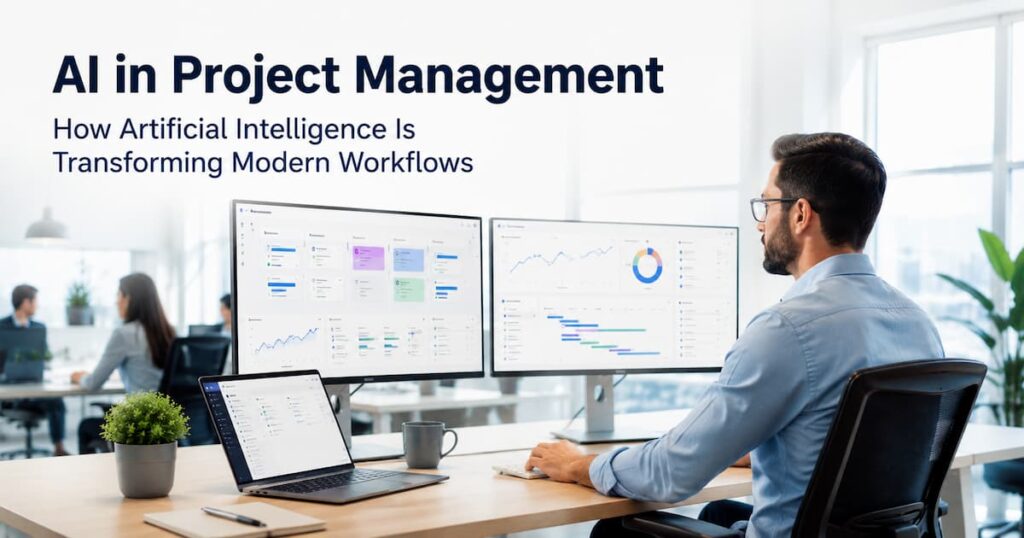
Imagine your project is running behind schedule. Deadlines are slipping. Your team is buried in status updates, spreadsheets, and back-to-back emails. Now imagine a smarter way, where software spots the delay before it happens and tells you exactly what to do about it. That is not the future. That is AI in project management today. From startups to Fortune 500 enterprises, AI-powered project management is changing how teams plan, execute, and deliver work. According to Gartner, by 2026 more than 80% of enterprises will use AI-augmented workflow tools. The shift is already happening, and project managers who embrace it early are pulling ahead of the competition. This guide covers everything you need: what AI in project management actually means, its proven benefits, the best tools available right now, challenges to watch out for, and the future that is already unfolding. What is AI in project management? AI in project management means using artificial intelligence technologies to help teams plan, monitor, and complete projects more effectively. It is not about replacing project managers. It is about giving them a smarter co-pilot. Traditional project management depends on manual tracking, experience-based guesswork, and slow reporting cycles. AI-driven project management replaces those bottlenecks with real-time data analysis, intelligent scheduling, and automated reporting — all running in the background while your team focuses on high-value work. The core AI technologies powering this shift are: Together, these technologies create what researchers now call an ‘intelligent project environment’, one that actively surfaces problems rather than waiting for a human to notice them. Why AI is becoming essential in project management Modern projects are more complex than ever. Teams are distributed across time zones, stakeholder expectations are rising, and delivery cycles are shrinking. Traditional methods simply cannot keep up. A 2025 report by the Association for Project Management found that 70% of projects still experience scope creep, budget overruns, or missed deadlines. The root cause in most cases is not effort, it is information arriving too late. AI solves this by processing enormous volumes of project data in real time. It identifies patterns that no human analyst could catch manually, flags risks weeks before they become crises, and recommends course corrections while there is still time to act. Enterprise AI adoption has accelerated sharply too. IBM, Microsoft, and Google have all embedded AI deeply into their productivity platforms, making AI-powered project management accessible at scale. Key benefits of AI in project management 1. Workflow automation One of the most immediate benefits of AI in project management is automating repetitive, low-value tasks. Scheduling updates, status reports, meeting notes, and task assignments can all be handled automatically, freeing your team for strategic thinking. Tools like Asana’s AI teammates and ClickUp Brain can now auto-generate project summaries, reassign blocked tasks, and send stakeholder updates without any human input. Teams using workflow automation consistently report saving between 5 and 10 hours per week per person on administrative overhead. 2. Better decision-making with predictive analytics Predictive analytics is where AI genuinely changes the game. Instead of reacting to problems after they appear, project managers can anticipate them weeks in advance. AI systems analyse historical project data to surface patterns: which task types tend to run long, which team members are approaching burnout, which dependencies are at highest risk of slipping. This transforms project forecasting from guesswork into data-driven precision, a capability that Harvard Business Review has linked directly to improved project ROI. 3. Smarter resource allocation Assigning the right person to the right task at the right time is one of the hardest problems in project management. AI solves it by continuously analysing team capacity, skill profiles, and workload distribution. Resource optimisation tools powered by AI can identify which team members have bandwidth, flag overallocation before burnout occurs, and suggest rebalancing options, all in real time. This leads to healthier workload balancing and higher team productivity without the guesswork. 4. Improved risk management Traditional risk management is periodic and backward-looking. AI-powered risk management is continuous and forward-looking. Platforms like Oracle Primavera Cloud and Planview use AI to run constant predictive risk assessments, scoring individual tasks and dependencies based on their probability of causing delays. When a risk score rises, the system flags it automatically, giving project managers time for scenario planning and mitigation rather than damage control. 5. Enhanced team collaboration AI collaboration tools make distributed teams work more like they are sitting in the same room. Tools like Fireflies AI transcribe and summarise meetings automatically. Slack AI surfaces buried information from months of conversations instantly. Notion AI drafts project briefs, meeting agendas, and status updates on demand. The result is less time lost to communication overhead and more time spent on work that actually moves projects forward. Practical applications of AI in project management Automated project scheduling AI scheduling tools analyse task dependencies, team availability, and historical velocity data to generate optimised project timelines automatically. When circumstances change, a task takes longer than expected, a team member is unavailable, the schedule updates in real time without manual intervention. AI-powered task prioritisation Dynamic task prioritisation means your team always knows what to work on next based on current project needs, not a static plan created weeks ago. AI systems score tasks by urgency, dependency risk, and business impact, surfacing the highest-priority items at any given moment. Real-time performance monitoring Instead of waiting for a weekly status meeting to learn a milestone is at risk, AI dashboards provide real-time monitoring of every project metric. Managers can see exactly where projects stand, where blockers are forming, and what interventions are needed, all from a single view. AI-based scenario planning Scenario planning has traditionally been time-consuming and subjective. AI makes it fast and data-driven. Project managers can model multiple what-if scenarios, what happens if this delivery is delayed by two weeks?,and receive probability-weighted outcomes instantly, enabling smarter strategic decision-making. Virtual project assistants Microsoft Copilot and Google Workspace AI now function as genuine virtual project assistants, drafting communications, summarising project documents, generating reports, and answering natural
The Rise of True AI Agents: Why Moltbot Signals a Shift Every Business Should Pay Attention To
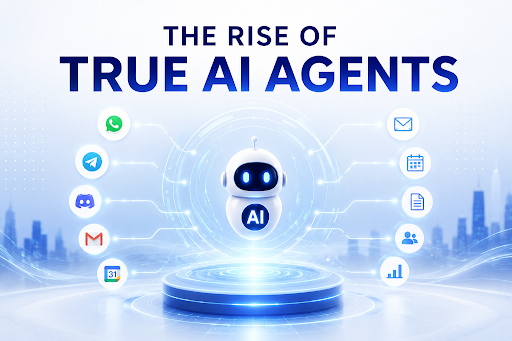
Introduction: Something Different Just Happened in AI Most new AI tools arrive with big promises and deliver modest results. You get a slightly smarter autocomplete. A chatbot that answers questions a bit more fluently. A tool that saves you twenty minutes on a task that still fundamentally requires you. And then something like Moltbot shows up. When Austrian developer Peter Steinberger released Clawdbot in November 2025, the reaction was immediate and unusually charged. Within weeks of being renamed Moltbot, it had accumulated over 30,000 GitHub stars, attracted thousands of members to its Discord community, and generated the kind of word-of-mouth that most AI tools spend years trying to manufacture. People were calling it “AI with hands.” Scientific American covered it. Cloudflare built infrastructure for it. The viral energy was not about the hype. It was about the experience of something genuinely new. Moltbot is not a chatbot. It is not a copilot that suggests things and waits for you to act. It is an autonomous AI agent that lives inside the messaging platforms you already use, takes real actions on your behalf, and proactively reaches out to you rather than waiting to be summoned. That distinction matters enormously. And understanding it is important not just for technologists but for every business owner trying to understand where the AI transition is actually heading and what they need to do about it before competitors do. This guide breaks down exactly what Moltbot is, what it signals about the direction of AI, and what businesses need to understand about the shift from AI tools to true AI agents. These are the strategic questions the team at Mark Mates explores with the founders and growth teams who are serious about getting ahead of this transition rather than reacting to it after the fact. What Is Moltbot and Why Is Everyone Talking About It OpenClaw, formerly known as Clawdbot and then Moltbot, is a free and open-source autonomous artificial intelligence agent that can execute tasks via large language models using messaging platforms as its main user interface. Unlike traditional chatbots that wait for your commands, Moltbot is proactive, autonomous, and deeply integrated into your daily workflow. It does not sit in a browser tab waiting to be opened. It bridges WhatsApp, Telegram, Discord, and iMessage to advanced AI agents, running on your own infrastructure so your conversations stay private and your data stays yours. The name itself reflects the ambition behind the project. Steinberger leaned into the lobster theme: lobsters molt to grow, so he chose Moltbot. The metaphor is apt. This is an AI that is designed to shed the limitations of previous generations of AI tools and grow into something genuinely more capable. Moltbot is capable of doing much more than simple chats. It can perform tasks, automate actions, remember details, and message on different platforms instead of only answering typed questions. It can write and send messages, schedule events, complete forms on the web, execute scripts, respond to messages automatically, and open files based on your instructions. It supports hierarchical agent structures with supervisor agents delegating to specialist agents, cross-platform orchestration, voice synthesis, autonomous code refactoring, and custom skill development where Moltbot builds new skills for itself based on emerging needs. The community response reflects genuine utility. With over 30,000 GitHub stars, 8,900 Discord members, and 130 contributors, Moltbot represents a community-driven AI development model that is moving faster than many commercial alternatives. What Makes Moltbot Different From Every AI Tool Before It To understand why Moltbot matters, you need to understand what has been missing from every AI tool that came before it. Every major AI product released in the past several years has shared one fundamental characteristic: it is reactive. You open it. You ask it something. It responds. You take whatever it gave you and do something with it yourself. The AI waits. You act. Moltbot doesn’t just chat. It actually does things. It can manage emails, calendars, flight check-ins, smart home devices, and execute commands autonomously. More importantly, it can do these things without being prompted each time. It can message you first. It can act on triggers. It can monitor conditions and respond when they are met. Moltbot remembers so you do not have to. It maintains a persistent context of your conversations, preferences, and ongoing projects across all channels. This persistent memory combined with multi-platform presence and real action-taking capability is what separates Moltbot from the generation of AI tools it follows. A user gives it instructions, and it can help manage tasks such as scheduling meetings or sending emails. But the surface simplicity of that description understates what is happening underneath. The agent is not executing a fixed script. It is reasoning about the goal, choosing the appropriate tools and actions, adapting when conditions change, and operating continuously rather than in single-session responses. This is what “AI with hands” actually means. Not a metaphor for capability. A literal description of an AI that can reach into your digital environment and change things. What Is a True AI Agent? The term “AI agent” has been applied loosely to everything from simple chatbots to complex autonomous systems. Moltbot helps clarify what the term should actually mean. A true AI agent is a system that receives a goal, determines its own path to that goal, uses tools and takes actions to pursue it, handles unexpected situations through contextual reasoning, and operates continuously rather than in single prompted exchanges. The four components that distinguish a true AI agent from everything else are perception, which is how the agent receives and interprets information from its environment; reasoning, which is how it plans the steps required to achieve a goal; action, which is how it uses tools to execute those steps in the real world; and memory, which is how it maintains context across time and interactions. Moltbot represents a fundamental shift in how we interact with AI, from passive tools to proactive partners that live in our communication channels
Why Automation Initiatives Fail: 5 Key Mistakes Businesses Must Avoid in 2026

Your business just spent six figures on automation software. Twelve months later, your team is still doing the same manual work, just with more expensive tools running in the background. This is the reality for most businesses in 2026. According to research by McKinsey, over 70% of digital transformation and automation initiatives fail to meet their original objectives. The tools were fine. The budgets were there. The problem was almost always strategy, execution, and the human factors that no software vendor puts in their sales deck. At Mark Mates, we don’t just automate tasks, we design intelligent growth systems. We’ve worked with 50+ businesses across industries and seen the same five critical mistakes derail automation projects worth hundreds of thousands of dollars. In this blog, we break all five of them down, and show you exactly how to avoid them so your automation strategy actually delivers the ROI it promised. What Is Automation in Modern Business? Before we diagnose where automation fails, it is worth being precise about what we mean by automation, because not all automation is equal, and confusing the types is itself one of the root causes of failure. Task Automation Task automation handles single, repetitive actions, sending a confirmation email, moving a file, or updating a spreadsheet. It is the most common and least transformative form of automation. Most businesses stop here and wonder why nothing changed. Process Automation Business process automation connects multiple tasks into a coherent workflow, from lead capture through to CRM update, notification, and follow-up sequence. This is where real efficiency gains begin to appear at a meaningful scale. Intelligent Automation Intelligent automation combines process automation with AI-driven decision-making. Systems do not just execute steps, they evaluate conditions, handle exceptions, learn from outcomes, and adapt. This is the frontier where the biggest ROI lives in 2026, and where agentic AI workflows are rapidly replacing traditional rule-based systems. Key Insight: Most businesses automate at the task level but expect process-level or intelligent-level results. Misaligned expectations at this stage are the starting point of most automation failures. Why Most Automation Initiatives Fail Let’s be direct: Automation technology in 2026 is mature, capable, and widely accessible. The tools are not the problem. When automation projects fail, the cause almost always falls into one of three categories: McKinsey Global Institute: 70%+ of large-scale automation and digital transformation projects fail to meet their stated goals, most due to strategic and organisational failures, not technical ones. The following five reasons account for the vast majority of automation failures we see across the businesses Mark Mates works with. Understanding them is the first step to building something that actually scales. 5 Major Reasons Automation Initiatives Fail 1. No Automation Strategy or Governance Model The single most common cause of automation failure is launching before building a strategy. Businesses see a tool, buy a licence, and start automating whatever seems most annoying, with no roadmap, no defined KPIs, and no ownership structure to guide decisions. Without an automation governance model, you quickly end up with dozens of disconnected automations built by different teams, running on different platforms, with no central visibility, no version control, and no way to measure whether any of it is actually working. The Fix: Build a KPI-driven automation roadmap before you touch a single tool. Define what success looks like in measurable terms, cycle time reduction, error rate, cost per process, revenue impact. Assign ownership. Create a governance structure that controls how automations are built, tested, monitored, and retired. → Build your automation roadmap with Mark Mates 2. Automating Tasks Instead of End-to-End Processes This is perhaps the most expensive mistake in business process automation, and it is extraordinarily common. A business automates the invoice approval step, but everything before and after it is still manual. The bottleneck shifts by one step, the overall process stays slow, and the team wonders why the automation made no difference. Silo-based automation, where each department builds its own automations in isolation, creates new complexity without solving the underlying workflow problem. The customer experience, which cuts across every department, remains fragmented and inconsistent. The Fix: Map the full customer journey and identify the complete end-to-end workflow before automating any single step. Use process mining tools to understand where time is genuinely being lost and where automation will have the highest systemic impact. Automate workflows, not tasks. Key Insight: Automating a task in a broken process does not fix the process, it just makes the breakage faster and harder to see. 3. Poor IT Architecture Alignment and Legacy System Integration Many automation projects stall because the tools chosen cannot actually talk to each other inside the existing IT environment. The CRM does not connect to the ERP. The RPA bot breaks every time the legacy system updates its interface. The low-code platform cannot access the data it needs because the IT architecture was never designed for automation at scale. According to Gartner research, IT architecture misalignment is cited as a primary blocker in over 60% of failed automation deployments at enterprise level. The same pattern appears in mid-market businesses that did not involve IT leadership in the automation decision. The Fix: Involve your IT architecture team from day one. Conduct a digital infrastructure compatibility audit before selecting any automation platform. Prioritise tools with robust API connectivity and a clear integration roadmap for your existing tech stack. For legacy system integration, plan migration or middleware solutions in parallel with automation design. 4. Ignoring Change Management and Employee Training Automation does not just change processes, it changes how people work, what they are responsible for, and in some cases, whether their role exists in its current form. Businesses that roll out automation without a change management strategy face significant employee resistance, low adoption rates, and automations that get quietly worked around rather than used. Research from Prosci’s Change Management Best Practices shows that projects with excellent change management are 6X more likely to meet their objectives than those with poor change management.
Why Businesses Are Replacing Entire Workflows with AI Agents in 2026
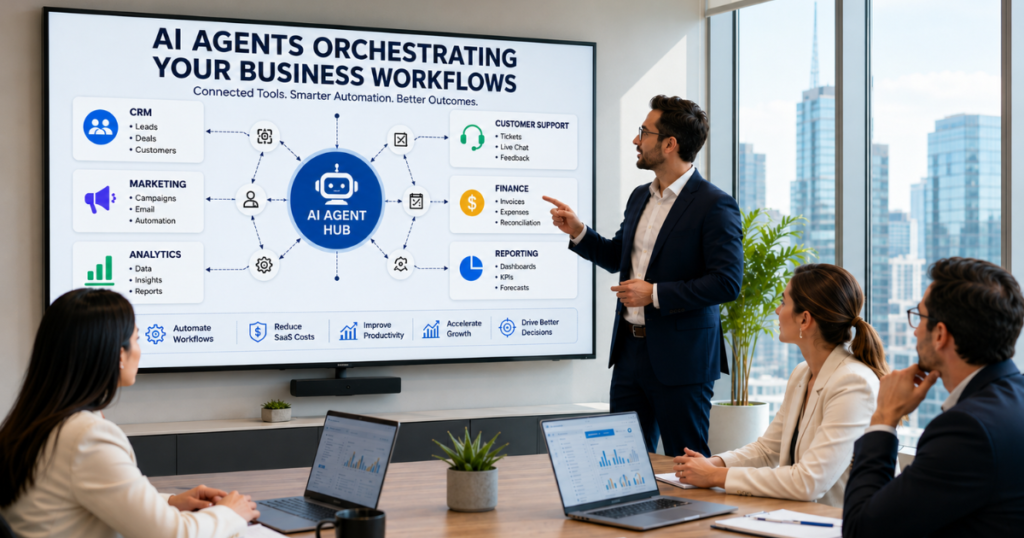
Introduction: The Rise of AI-Driven Business Operations Something has quietly changed about how the most competitive businesses in the world actually get work done. It is not a new app. It is not a faster laptop. It is not another SaaS subscription added to the stack that is already too large to manage. It is the moment a business stops operating software and starts managing outcomes. In 2026, AI agents are doing work that entire departments used to do manually. They are qualifying leads before a sales rep opens their inbox. They are generating board-level reports by pulling from six disconnected platforms without a human touching a spreadsheet. They are routing customer support tickets with sentiment-aware judgment and resolving them before a human coordinator has finished reading the first message of the morning. According to McKinsey, companies that have integrated AI into their core operations report an average 20 to 25 percent improvement in productivity. And yet the majority of businesses in the US, UK, and Canada are still running workflows built for a world that no longer exists. This guide covers exactly what is changing, what it means for your business, what the real cost numbers look like, and how to move from where you are today to where the leading companies already are. Why 2026 Is Becoming the Year of AI Agents Three forces have aligned to make 2026 the tipping point for agentic workflow adoption at scale. SaaS tool overload has reached a breaking point. The average mid-market company in the UK and US now manages between 130 and 170 software applications. Each requires credentials, training, maintenance, and a human operator. The coordination overhead of that many tools has become a structural drag on productivity that no amount of additional software can solve. Foundation model reliability has crossed the enterprise threshold. Earlier AI tools impressed in demos and failed in deployment. The models powering AI agents in 2026 have achieved the reliability, tool-calling accuracy, and context-handling depth that enterprise adoption requires. This is not incremental progress. It is a qualitative shift in what these systems can dependably execute. Operational cost pressure is intense. Businesses in every sector are being asked to deliver more output with leaner teams. AI agents are the most direct answer to that pressure: they execute high-volume, multi-step workflows at a fraction of the human resource cost, without the errors, delays, and inconsistencies that manual processes inevitably produce. From Automation to Autonomy: Understanding the Shift What Are AI Agents? An AI agent is a system that receives a goal, plans the steps required to achieve it, selects and uses the appropriate tools, handles variations and unexpected situations through contextual reasoning, and delivers the outcome without needing human instruction at each stage of the process. This is categorically different from what most businesses mean when they say automation. A Zapier workflow fires a fixed action when a fixed trigger occurs. An AI agent understands what the goal is and figures out how to achieve it, adapting as conditions change. Traditional Automation vs AI-Powered Automation Factor Traditional Automation AI-Powered Automation Input format Structured, pre-defined Natural language, flexible Handles ambiguity No Yes Adapts to change No Yes Cross-app operation Limited Native Improves over time No Yes Setup requirement Technical, rule-by-rule Goal-based description The gap between these two paradigms is not a feature difference. It is an architectural one. And it is why businesses are not improving their automation systems in 2026. They are replacing them. Why Businesses Are Replacing Traditional SaaS Workflows Every SaaS tool in a business stack was purchased to solve a specific problem. Over time, the stack grows. The tools multiply. And the humans required to operate, connect, and reconcile those tools multiply with them. The problem is not the individual tools. It is the coordination layer between them, which has always been human, manual, and expensive. AI agents replace this coordination layer. They operate across applications simultaneously, move data between systems without manual export and import, and execute multi-step workflows that previously required a human to sit at the center of every handoff. The Rise of AI Agent Platforms The AI agent platform landscape in 2026 has matured into three distinct tiers. Platform-embedded agents from Microsoft Copilot, Google Gemini, and OpenAI Operator are available inside tools businesses already use, reducing implementation friction for organizations beginning their agentic journey. Developer frameworks including LangChain, AutoGen, CrewAI, and Semantic Kernel allow technical teams to build custom agents tailored to specific operational requirements, with multi-agent orchestration capabilities that enable complex, collaborative AI workflows. Vertical agent platforms built for specific industries including healthcare, legal, finance, and marketing provide domain-specific intelligence that generic platforms cannot match, executing judgment-intensive tasks within regulatory and compliance constraints. How AI Agents Work Together with Humans The most important misconception about AI agents is that they replace human workers. They do not. They replace specific categories of work that consume the most human time while producing the least strategic value. In a mature AI agent deployment, humans set goals, establish governance, make high-stakes decisions, handle relationship-sensitive interactions, and review outputs. AI agents handle execution, data movement, routine analysis, report assembly, communication routing, and administrative operations. The result is a leaner team doing higher-value work, supported by AI systems that handle the operational volume that previously required significantly more headcount. The Business Shift Toward AI-Powered Workflows How AI Automation Reduces Operational Costs The cost reduction case for AI-powered automation shows up in specific, measurable ways across the operational categories that consume the most resources in a typical business. Headcount efficiency. AI agents performing CRM administration, report generation, support triage, and document processing typically replace between two and four full-time equivalent roles per department when fully deployed, at a fraction of the fully-loaded cost of those roles. Error reduction. Manual data entry produces error rates that generate downstream costs in reconciliation, customer remediation, and decisions based on inaccurate information. AI agents operating without human data-entry errors eliminate this category of cost entirely. Speed to output.
What Are AI Agents? A Beginner’s Guide to Autonomous AI Systems in 2026
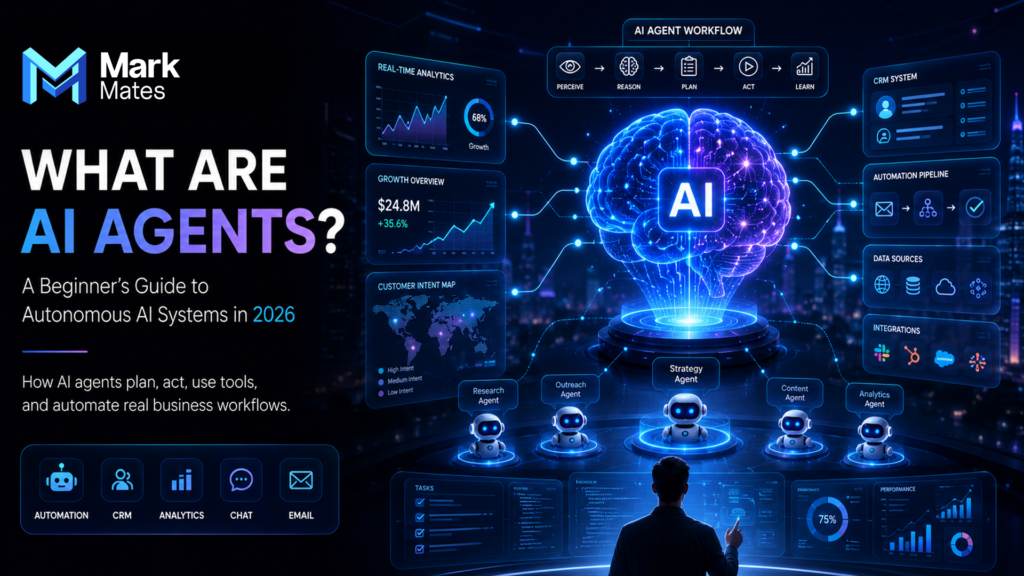
Introduction: The Technology Quietly Changing How Work Gets Done Something is happening inside the world’s most productive companies right now that most people on the outside have not fully noticed yet. It is not a new app. It is not a smarter search engine. It is not another chatbot that answers questions and then waits for the next one. It is a fundamentally different kind of software. One that does not wait to be asked. One that receives a goal, figures out how to achieve it, uses whatever tools it needs, handles problems along the way, and delivers an outcome without a human directing every single step. That is an AI agent. And in 2026, they are no longer a research concept. They are running inside real businesses, handling real workflows, and producing real results that are changing what it means to operate efficiently in a competitive market. According to McKinsey, AI-related investments reached over 300 billion dollars globally in 2025, with autonomous AI systems identified as the fastest-growing category in enterprise software adoption. Yet the majority of business owners, marketers, and founders still cannot clearly explain what an AI agent actually is or how it differs from the AI tools they already use. This guide fixes that. If you are a beginner trying to understand autonomous AI systems for the first time, or a business owner evaluating whether AI agents are relevant to what you do, this is the guide that gives you a clear, honest, jargon-free foundation. What Are AI Agents? A Plain-English Definition An AI agent is a software system that receives a goal, breaks it into steps, selects the right tools to complete each step, handles unexpected situations using contextual reasoning, and delivers a result without needing human instruction at every stage of the process. The word “agent” comes from the Latin word for “one who acts.” That is the essential distinction. An AI agent does not just respond. It acts. It makes decisions. It executes tasks. It adapts when things do not go according to plan. The simplest definition you will find anywhere: an AI agent is software that pursues a goal autonomously using available tools and information. That definition alone separates AI agents from every category of software that came before them. AI Agents vs Chatbots vs Automation: What Is the Real Difference? Most people encounter AI for the first time through a chatbot. You type a question. The AI responds. You type another question. The AI responds again. The interaction is one question, one answer, repeated until you close the tab. That is not an AI agent. That is a conversational AI interface. It is useful. It is impressive. But it is fundamentally reactive: it only acts when you act first, and it only does one thing per response. Traditional automation is different again. Tools like Zapier or Make execute pre-defined workflows: when this event happens, do this action. The logic is fixed. If the situation matches the rule, the automation fires. If it does not match, the automation fails. There is no judgment, no adaptation, no ability to handle anything the original workflow builder did not anticipate. An AI agent is different from both. It receives a goal in natural language, determines its own path to that goal, selects and uses multiple tools across multiple applications, handles variations and unexpected situations through contextual reasoning, and delivers the outcome without requiring either a pre-written rule or a human prompt for every step. Factor Chatbot Traditional Automation AI Agent Input type User question Predefined trigger Goal or instruction Handles ambiguity No No Yes Multi-step execution No Limited Yes Adapts to change No No Yes Uses multiple tools No Sometimes Yes Learns from outcomes No No Yes The table above captures the essential architecture difference. Chatbots respond. Automation executes fixed rules. AI agents pursue goals. How Do AI Agents Actually Work? Understanding how AI agents work does not require a computer science degree. It requires understanding four components that work together to make autonomous behavior possible. Perception The agent receives information from its environment. This could be a natural language instruction from a human, data pulled from a connected application, an email in an inbox, a document uploaded for processing, or a live signal from a monitoring system. Perception is how the agent knows what situation it is operating in. Reasoning The agent applies a large language model or other AI reasoning system to interpret the information it has received, determine what the goal requires, and plan the sequence of steps needed to achieve it. This is where intelligence lives. The reasoning component is what allows the agent to handle ambiguity, make contextual decisions, and adapt when the situation changes mid-task. Action The agent uses tools to execute the steps it has planned. Tools can include web search, API calls to external services, code execution, file creation, database queries, form completion, email sending, calendar management, or any other capability the agent has been given access to. The action component is what makes the agent useful rather than just intelligent. Memory The agent retains context across steps and across sessions. Short-term memory allows it to maintain coherence within a single task. Long-term memory allows it to apply learning from previous interactions to future ones. Memory is what allows a multi-step task to remain coherent from beginning to end without requiring the human to repeat context at every stage. These four components together produce autonomous behavior: an agent that can receive a goal on Monday morning and deliver a completed outcome without requiring human input until the work is done. Types of AI Agents: A Simple Breakdown Not all AI agents are built the same way or designed for the same level of complexity. Understanding the main types helps you identify which kind is relevant to your situation. Simple reflex agents respond to the current situation based on fixed condition-action rules. They are fast and reliable but handle only the scenarios they were designed for. A